
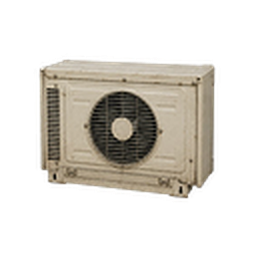
Temp Control
Real climate control for your base. Temp Control turns the vanilla exterior air-conditioner module into a generator-aware HVAC system, with server-authoritative indoor temperature, thermostat controls, schedules, timers and power monitoring.
Heat and cool
Cooling, heating, automatic, fan-only and off modes, with three fan speeds and an energy-saving mode.
Real temperature effects
While a powered thermostat runs in Auto, Cool or Heat, the building temperature affects every local character inside it.
Smart thermostat
The compressor stops at the target instead of overshooting and resumes only after the deadband is crossed. Units follow your Celsius or Fahrenheit setting.
Timers and schedules
Countdown on/off timers and a repeating daily schedule on the game clock.
Power monitoring
Live estimated wattage, accumulated kWh and runtime. It really draws from generator or grid power.
Uses vanilla ACs
Connect vanilla wall AC modules, or craft an Exterior HVAC Module.
What's new in 1.1.1
- Schedule fix (1.1.1) — the HVAC daily schedule now switches the unit only when its on/off window starts or ends, so turning the unit on or off by hand, or a sleep/wake timer, inside the window is no longer undone a minute later.
- Central heating (1.1.0) — Central Heating Boilers is folded in: industrial, home and compact boilers with manuals, water tanks, wear and repair, schedules with Eco, open-door heat loss, generator billing and basement finds. A running boiler feeds its building's thermostat.
- Rebuilt panels (1.1.0) — both control panels were rebuilt in the Common Sense Reborn / ClearView style.
- Heating and cooling (1.1.0) — heating arrives as a native heat source on the player's tile, and cooling uses one compensated pass so the AC reaches its target instead of stopping halfway.
- Fixes (1.1.0) — daily schedules no longer run 7 hours late, recipe and item names resolve from translations, the server simulation no longer also runs on multiplayer clients, and network sync sends only the systems that changed.
Setting it up
- Open the Build window's Temp Control tab and craft an Exterior HVAC Module (Electrical 4, Welding 3), or pick up a vanilla wall AC.
- Place it outdoors against an exterior wall with an enclosed room directly behind it.
- Right-click it and choose Install Temp Control HVAC System.
- Craft an AC/Thermostat Controller (Electrical 2), stand inside, and choose Open Thermostat from the controller.
Requirements
Project Zomboid Build 42.20.2+. Standalone; single-player and multiplayer. Central Heating Boilers is declared incompatible; its placed boilers keep working and their saved state is imported. Wattage shown is a gameplay estimate.
| File | Size | SHA-256 | Download |
|---|---|---|---|
| TempControl-v1.1.1.zip | 4.2 MB | 846024291048c7da247415b9490e3f7f1f51206cc54c06f2d9f44d527703ed97 |
Workshop access
Downloads from this workshop require acceptance of the existing FadedMods Workshop Access, Confidentiality, and Restricted Party Agreement. This notice is a summary only — the full terms live on the installer page.
Read the full Workshop Access, Confidentiality, and Restricted Party Agreement