
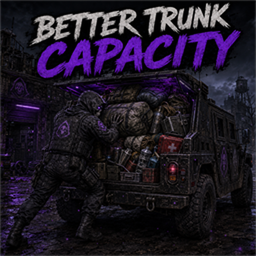
Better Trunk Capacity
Requires Java LoaderPack more, and change nothing else. Better Trunk Capacity gives every vehicle type in your game, vanilla or modded, its own cargo-capacity multiplier in Sandbox Options. It runs on Faded's Java Loader.
One setting per vehicle
Every loaded vehicle with cargo storage gets its own numeric control, labeled with the vehicle's name and script ID, such as Base.CarNormal. Alternate models and variants get separate settings.
Works with vehicle packs
Detection reads loaded vehicle metadata, so cars from large vehicle packs and cargo parts with unfamiliar names are picked up automatically. New vehicles start at 1.
Cargo only
It changes trunks, truck beds, trailers, roof racks, side lockers and other cargo compartments. Seats, gloveboxes, consoles, fuel and liquid tanks, weapon feeds, bags and world containers work as normal.
No stacking, no drift
The multiplier applies on top of damage, upgrades and cargo modules each time capacity is read. It's never saved back into the vehicle, so reloads and refreshes can't compound it.
Server decides
It uses the game's own sandbox save, presets and network sync. In multiplayer the server's sandbox settings set capacity, and the mod sends no executable code to clients.
Pure Java
All gameplay and option registration run in Java through Faded's Java Loader. There's no executable Lua, no replacement game classes and no vehicle or item script overrides.
How the multiplier works
- 1 = unchanged — this is the default for every vehicle. 2 doubles cargo capacity and 0.5 halves it. The allowed range is 0.1 to 100.
- Bigger than vanilla — the result can exceed the normal 1,000 limit: a trunk that reports 1,000 becomes 2,000 at 2. A hard ceiling of 1,000,000 still applies.
- Lowering is safe — items already stored stay where they are, and new transfers follow the new limit.
- Weight, not grid — item weight, vehicle physics and Inventory Tetris grid dimensions keep their existing rules. Extra capacity raises the weight allowance, not the number of grid cells.
Set it up in five minutes
- Install Faded's Java Loader 0.3.4 or newer. Subscribing to a Workshop mod alone doesn't install its Java agent.
- Enable FadedJavaLoaderBridge, BetterTrunkCapacity and your vehicle mods.
- Fully restart the game after installing or updating.
- Open Sandbox Options → Better Trunk Capacity and change only the vehicles you want. Everything else stays at 1.
- For an existing world, use the game's admin sandbox editor. New-game settings don't rewrite a save.
Requirements
Project Zomboid 42.20.4. Requires Faded's Java Loader 0.3.4+ with the FadedJavaLoaderBridge mod enabled. For multiplayer, install the same loader, bridge and Better Trunk Capacity build on the server and every client, with the same vehicle mods enabled.
Player Guide
A 5-page guide covering setup, the sandbox controls with worked example values, exactly which cargo is included or left alone, and multiplayer and troubleshooting quick fixes.
| File | Size | SHA-256 | Download |
|---|---|---|---|
| BetterTrunkCapacity-v1.0.0.zip | 4.7 MB | c79ab9c787697c2c3b157202c6156a4f303b5e16804bf68624d4f618bd81d4de |
Workshop access
Downloads from this workshop require acceptance of the existing FadedMods Workshop Access, Confidentiality, and Restricted Party Agreement. This notice is a summary only — the full terms live on the installer page.
Read the full Workshop Access, Confidentiality, and Restricted Party Agreement